Welcome to Learn Promptfoo
This guide helps non-technical users get up and running with promptfoo for evaluating LLM assistants.
Training Overview
Target Audience: Non-technical users who need to create and run promptfoo evaluations
Prerequisites: Windows machine with admin rights, comfortable learning new software
Time Commitment: 10-15 hours (setup + training) then comes actual doing (where you can reach out at any point)
Training Structure
Phase 1: Setup & Basics (3 hours)
- Session 1: Installing stuff (VSCode, promptfoo and what’s needed)
- Session 2: Access our LLMs and run promptfoo demo
Phase 2: Promptfoo Evaluations (4-5 hours)
- Session 3: Understanding the YAML Config Structure
Play around with the MBU Evaluation (as an example) - Session 4: Creating New Evaluations/test suites/promptfoo config Tests for Anne Vibekes Bias-checker (as an example)
Phase 3: Collaboration via Git - Optional (2 hours)
- Session 5: git in VSCode and access to Github
- Session 6: contribute with tests to our common promptfoo instance
Bonus: (Coding) Agent in VSCode (1 hour)
- Set up Opencode in VSCode
Prerequisites Checklist
IMPORTANT before we begin:
- ensure you have builder role for ai.aarhuskommune.dk
- you have builder role for stgai
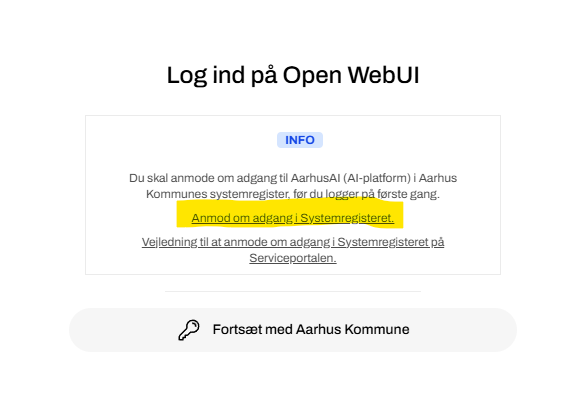
Before starting training, ensure:
- Windows 10/11 machine
- Admin rights (or ability to run with PEDM)
- Internet connection
- ~2GB free disk space
- VSCode will be installed
- Node.js will be installed
- Git will be installed
Tools We’ll Use
- Visual Studio Code (VSCode) - Code editor with integrated terminal and Git (git is for version control, collaboration and direct contribution to our instance of the Promptfoo platform)
- Node.js - JavaScript runtime (includes npm and npx): Used to run the promptfoo application
- promptfoo - LLM evaluation tool
- Git - Version control
Success Criteria
After completing this training, you will be able to:
- Create and edit YAML configuration files for promptfoo
- Choose test cases and assertion criteria for the evaluation configs
- Run evaluations and interpret the results
- Maybe use Git to manage your work and contribution with evaluation configs
References
- Promptfoo documentation
- Codebase/repo: Our promptfoo instance
- Aarhus AI
- Aarhus AI staging
- Aarhus AI development site
- Official VSCode Install
For the complete training overview, see the README.md.